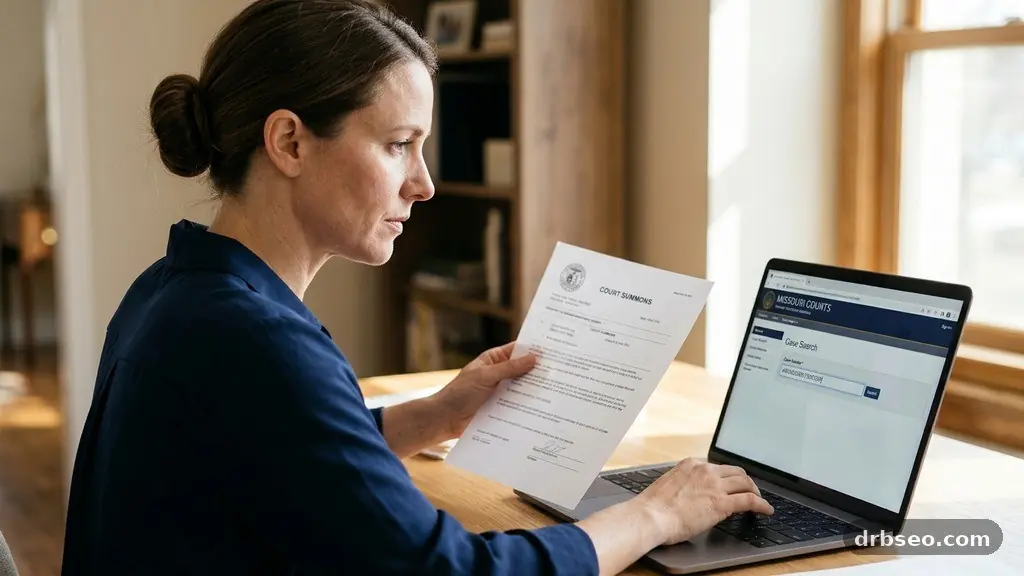
Casenet MO is Missouri’s online court case search system, allowing the public to find many docket entries and case details through the Missouri Judicial Branch. It matters because a single search can show hearing dates, filings, judgments, parties, and case status without requiring an immediate trip to a courthouse.
The online record is useful, but it isn’t the same as a complete court file or a final legal interpretation. The sections below explain what Missouri Case.net can show, how to search effectively, which records may be restricted, and what to do when an online entry doesn’t answer your question.
What Casenet MO Is and What It Shows
The short answer is simple: Casenet MO is the public-facing online portal for searching Missouri court records. It is operated within the state court system and gives users access to selected information from cases filed in Missouri courts.
A result may include a case number, court location, filing date, case type, party names, attorneys, scheduled events, docket entries, judgments, and the current status of a matter. The amount of information depends on the court, the case category, the age of the record, and whether particular material is confidential or sealed.
Missouri Case.net is not a private background-check database. It is a court information service, so its entries reflect what has been entered into the judicial system rather than every fact about a person or dispute.
The Missouri Judicial Branch provides the system as a public access tool, but online availability does not mean every document is viewable. A docket might show that a motion was filed while the motion itself remains accessible only through the clerk’s office or another approved process.
Users commonly search for several types of matters:
- Traffic cases, including many moving violations and related court events.
- Civil cases, such as debt claims, landlord-tenant disputes, personal injury lawsuits, and contract matters.
- Criminal cases, including charges, hearings, pleas, sentencing information, and other docket activity where public access applies.
- Municipal court records, although availability and presentation can differ from one municipality to another.
- Probate, domestic relations, small claims, and other proceedings subject to Missouri court rules.
A search result should be treated as a starting point for verification. If the information affects housing, employment, licensing, immigration, family arrangements, or an active legal dispute, check the record with the court clerk or speak with a qualified attorney.
Why Missouri Court Records Appear Online
Public access to judicial information supports transparency. Court proceedings generally belong to the public record unless a statute, court rule, or specific order limits access for privacy, safety, or another legally recognized reason.
The online portal also saves time for people who need basic case information. A lawyer checking a hearing date, a party confirming a filing, or a journalist reviewing a public proceeding can often begin with a remote search rather than calling several clerk’s offices.
Missouri’s system is organized around courts and cases, not around a single universal identity profile. That distinction matters because a name search may return several people with similar names, while a case number search usually points to one particular matter.
Public access has limits. Some cases or individual docket entries may be confidential, sealed, expunged, protected by law, or unavailable because of technical or administrative reasons. Juvenile matters and certain sensitive proceedings deserve particular caution because the public display may be restricted or absent.
The presence of a case also doesn’t prove wrongdoing. An arrest is not a conviction, a filed lawsuit is not a judgment, and a civil judgment may later be satisfied, vacated, appealed, or otherwise changed.
That context is especially important for informal court case lookup services. A third-party website may copy old information, combine records belonging to different people, or omit later developments. The official Missouri court system is the better starting point for checking a case’s current docket history.
How to Start a Missouri Court Case Search
Begin with the official Case.net service associated with Missouri Courts. Type the address yourself or reach it through the official state court website rather than relying on a sponsored search advertisement that may resemble the government portal.
Choose the search method that matches the information you have. If someone gave you a case number, use that first; if you only know a participant’s name, a litigant name search may be necessary.
Search by case number
A case number is usually the most precise route. Enter it carefully, preserving the letters, numbers, and punctuation shown on a notice or court document.
If the search fails, try removing spaces or punctuation only if the interface permits it. A single incorrect digit can send you to a blank result, so compare the number with the original summons, citation, judgment, or filing receipt.
Search by litigant name
A litigant name search can locate cases when no case number is available. Use the person’s legal name, then try variations involving a middle initial, shortened first name, maiden name, or spelling difference if the first attempt produces no useful result.
Name searches require careful review. Match the county, court, date of birth information if shown, attorneys, addresses where lawfully displayed, and case details rather than assuming that every result belongs to the person you have in mind.
Filter the results
Filters can narrow a broad list by court, case type, filing date, or status. Start with a wide enough date range to avoid missing an older filing, then narrow the results after you identify the correct court or case category.
Write down the case number and court location once you find a likely match. Those details make every follow-up request easier, whether you are checking a docket, requesting a document, or contacting a clerk.
Reading a Missouri Court Docket
A Missouri court docket is a chronological record of activity in a case. It may list filings, hearings, continuances, service events, orders, pleas, judgments, payments, and other administrative actions entered by the court or clerk.
The wording can be abbreviated. “Motion to dismiss,” “entry of appearance,” “notice,” and “judgment” each describe different procedural events, and a docket label alone may not reveal the full reasoning or legal effect of the filing.
Pay close attention to dates. A docket may contain the date a document was filed, the date an event was scheduled, the date a judge entered an order, and the date a clerk posted the entry. These dates aren’t interchangeable.
A scheduled hearing is not proof that the hearing occurred. Look for a later entry showing a result, continuance, disposition, or order before drawing a conclusion about what happened.
Status labels also need context. “Open,” “disposed,” “closed,” “pending,” or similar descriptions provide useful clues, but they may not explain an appeal, payment arrangement, probation condition, amended charge, or post-judgment motion.
| Docket detail | What it may tell you | What it may not tell you |
|---|---|---|
| Case number | Identifies the specific court matter | Whether the case belongs to the person you intended without further matching |
| Filing date | When a pleading or case was entered | Whether the allegations were proven |
| Hearing entry | A scheduled or recorded court event | Whether the hearing took place as scheduled |
| Judgment entry | That the court recorded a decision or judgment | Whether it was later appealed, paid, modified, or set aside |
| Case status | A general indication of the matter’s procedural condition | The full legal history or current practical consequences |
Read the entries in sequence instead of isolating one line. The later entries often explain whether an earlier motion was granted, denied, continued, withdrawn, or resolved by another filing.
Finding Missouri Court Documents
Many users expect Casenet MO to display every document in a case, but that expectation is often too broad. The portal may show docket information while limiting access to the actual PDF, scanned filing, exhibit, transcript, or signed order.
Document access depends on the court’s technology, the type of proceeding, public-access rules, and the document’s privacy status. A docket entry that says “petition filed” doesn’t necessarily provide the petition’s text through the online screen.
If a document is not available online, note the case number, title of the document, filing date, and court division. Contact the clerk of the court where the case was filed and ask about inspection, copying, certified copies, fees, identification requirements, and any request form.
Some documents contain personal information that should not be copied or shared casually. Social Security numbers, financial account information, medical details, addresses protected by law, and information about minors may be redacted or subject to access restrictions.
Certified copies are different from ordinary online viewing. A certified copy carries an official certification from the court and may be required for a legal, employment, licensing, probate, or government purpose.
Before relying on a downloaded or printed page, confirm whether the recipient needs a certified record, a file-stamped copy, a register of actions, a judgment, or another specific document. Asking for the wrong item can create delays.
The official Missouri Courts website provides court-system information and can help you identify the appropriate judicial district or court contact for questions that the online docket cannot answer.
Differences Among Case Types
Missouri court records vary sharply by case type, and the same search habits don’t work equally well for every matter. A traffic citation may have a short docket, while a civil lawsuit can generate years of motions, discovery disputes, hearings, and judgments.
Traffic cases
Traffic entries may show a citation, an appearance date, a plea, a disposition, fines, costs, or compliance information. The exact presentation can depend on whether the matter was handled in a municipal court, associate circuit court, or another division.
Don’t assume that an online case entry alone tells you whether a driver’s license is currently valid. Licensing consequences may involve another state agency, separate notices, payment status, or administrative action.
Civil cases
Civil cases often list a plaintiff, defendant, attorneys, pleadings, service attempts, motions, judgments, and collection-related activity. A complaint contains allegations, not findings, so it shouldn’t be described as proof that the defendant committed the conduct alleged.
Small claims and landlord-tenant disputes may move differently from larger civil actions. Deadlines, service, possession orders, payment arrangements, and appeal rights can be especially important, but the docket may not explain each consequence in plain language.
Criminal cases
Criminal records can contain charges, amended charges, arraignments, pleas, hearings, sentencing, probation-related entries, and post-disposition motions. A charge is not a conviction, and a dismissed case is not the same as a finding of guilt.
For a careful review, identify the disposition and read later entries. A case may change after an initial charge through a plea agreement, dismissal, diversion, amended information, sentencing order, or appellate action.
Municipal court records
Municipal court records may appear differently from records in a circuit court. Some municipal matters are integrated into broader court systems, while others may require contacting the municipality or clerk for additional information.
If a municipal search produces no result, verify the city, court name, approximate filing date, and citation number. A missing online result doesn’t automatically mean that no citation or proceeding exists.
Privacy, Sealed Records, and Accuracy
Missouri court records are public only to the extent that applicable law allows public access. Courts may restrict records involving juveniles, protected victims, sealed proceedings, expunged matters, confidential information, or specific documents covered by a court order.
Expungement and sealing also create practical complications. A person may have a past matter that no longer appears in an ordinary public search, while older copies held elsewhere may not update immediately.
Accuracy matters because public docket information can affect real people. Don’t publish a person’s case number, address, financial information, or allegations simply because you found an entry online.
If you find an apparent error, first compare the online information with the court document or official notice. Then contact the clerk or appropriate court office and explain the specific discrepancy, including the case number and docket date.
Clerks can explain administrative procedures, but they generally can’t provide legal advice or tell you what strategy to use. Questions about expungement, appeals, warrants, custody, eviction, criminal exposure, or deadlines belong with a licensed attorney or an authorized legal-aid organization.
Search results should also be interpreted with identity safeguards. A common name may match several people, and an unusual name is still not absolute proof of identity.
Common Search Problems and Practical Fixes
Technical or data-related problems are common during a Missouri court case search. A blank result may reflect an incorrect spelling, the wrong court, a recently filed case, a restricted record, or a temporary issue rather than the absence of a case.
Try these steps in order:
- Confirm the spelling of the party’s name and try a middle initial or alternate surname.
- Search by case number if one appears on a citation, summons, letter, or judgment.
- Check the county, municipality, judicial circuit, and court division.
- Expand the filing-date range if the case may be older than expected.
- Review every result instead of selecting the first name match.
- Record the exact error message and time of the search if you need technical assistance.
- Contact the clerk when the online record conflicts with an official paper document.
Names can be especially difficult because databases may store punctuation, suffixes, hyphenated surnames, and former names differently. Search broad enough to locate possible matches, then verify using court, attorney, dates, and case details.
Recent filings may not appear instantly. Courts need time to receive, process, scan, review, and publish information, and a filing submitted at a counter may follow a different workflow from an electronic filing.
Browser issues can also interfere with a search. Try a current browser, allow required page functions, avoid relying on an old saved session, and check whether the official site displays a maintenance notice.
When a matter is urgent, don’t wait for the database to update. Use the case number to contact the clerk and ask about the official status, upcoming deadline, or document needed.
Using Case Information Responsibly
Online court information is most useful when it answers a specific question. “What is the next scheduled hearing?” is narrower and safer than treating a name search as a complete profile of someone’s history.
Employers, landlords, lenders, insurers, and others who use court information for decisions may have additional legal obligations. A casual public search is not automatically a substitute for compliance with consumer-reporting, fair-housing, employment, privacy, or licensing rules.
Never use a docket entry to threaten, harass, impersonate, or expose someone. Court records can contain allegations, financial hardship, family conflict, medical information, and other sensitive circumstances that deserve restraint.
For journalists, researchers, and community organizations, keep a clear research record. Note the search date, case number, court, docket language, and whether you reviewed an official document or only a summary entry.
For people involved in a case, save copies of important notices and calendar every deadline independently. Online systems can change, entries can be corrected, and a docket may not display the full text of an order.
A careful user separates three things: what the record says, what the record implies procedurally, and what remains unknown. That distinction prevents the most damaging mistakes in public-record research.
FAQ About Casenet MO
Is Casenet MO free to use?
Basic online case searching is generally provided as a public court-access service, though obtaining copies, certified records, transcripts, or clerk-assisted services may involve fees. The exact cost depends on the court, document, copy type, and applicable state or local procedures.
Why can’t I find a case on Missouri Case.net?
The case may be filed in a different court, entered under another spelling, too recent to appear, restricted from public view, or outside the search criteria you selected. Try the case number, broaden the date range, verify the county, and contact the clerk if an official notice says the case exists.
Does a Casenet result prove someone was convicted?
No. A charge, citation, petition, or lawsuit is not a finding of guilt or liability. Read the disposition and later docket entries, and remember that a case may be dismissed, amended, appealed, resolved by agreement, or otherwise changed.
Can I view the full Missouri court documents online?
Sometimes, but not always. The docket may be public while the underlying motion, exhibit, transcript, or order requires a request to the clerk, carries a fee, or is restricted because of privacy or sealing rules.
Can a clerk give me legal advice about a case?
Clerks can usually explain administrative details such as filing procedures, court locations, copy requests, and docket terminology. They generally cannot recommend legal strategies, interpret your rights, predict an outcome, or represent you.
Making the Most of Missouri Case.net
Casenet MO works best as a verification tool rather than a substitute for the complete court file. Start with the most precise identifier available, confirm the court and parties, read the docket chronologically, and treat every status or disposition as part of a larger procedural record.
If the matter carries serious consequences, take the next practical step: obtain the relevant Missouri court documents, speak with the clerk about access, or seek legal advice. Used carefully, Missouri Case.net can save time while helping you understand where a case stands and what information still needs confirmation.